setInterval Drift: Build a Drift-Free JavaScript Timer (2026)
setInterval drift is why your 60-second timer finishes late. Here is why the event loop causes it, and how performance.now() fixes it for good.
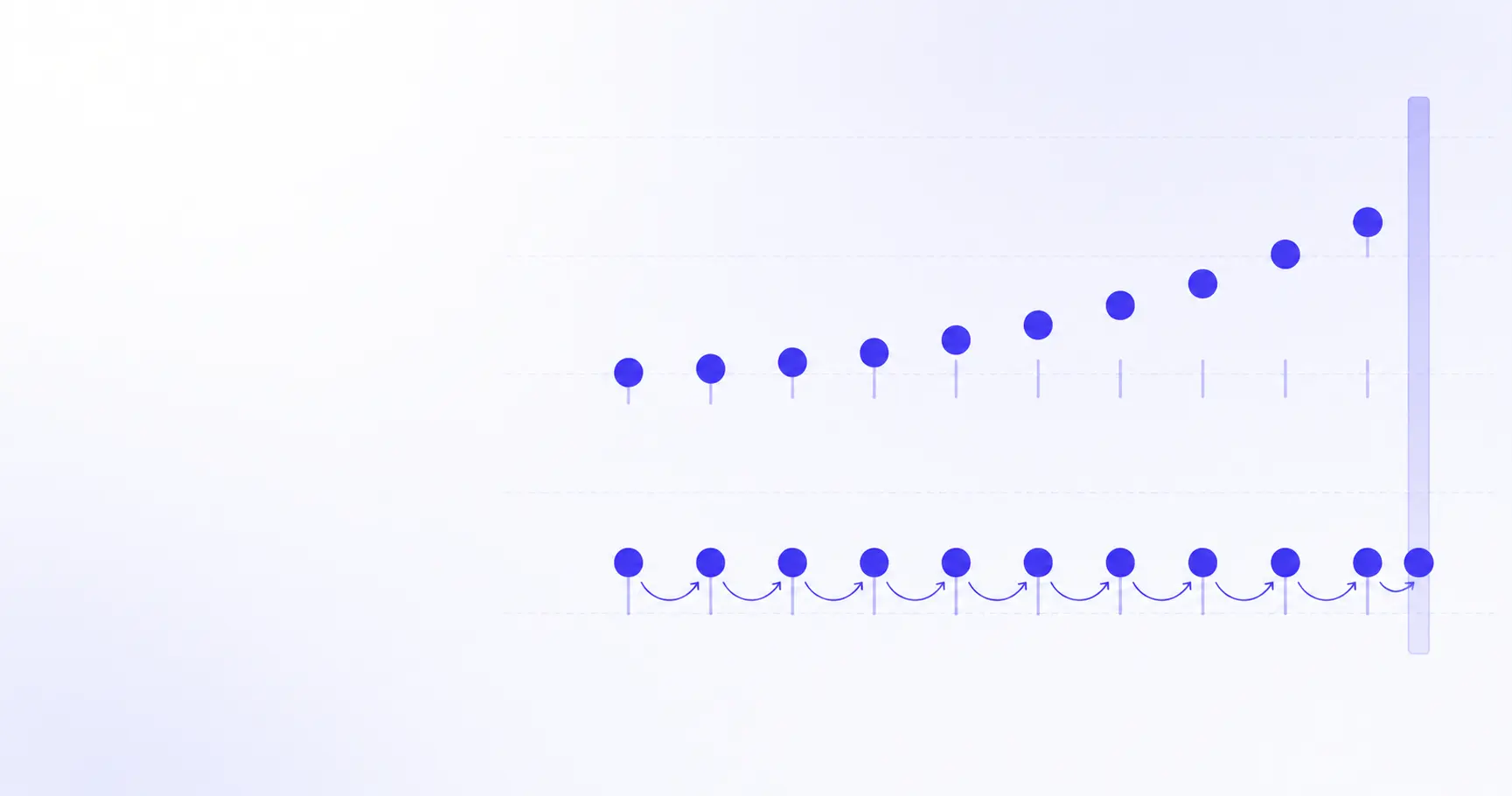
setInterval Drift: Building a Timer That Stays Accurate
Set a 60-second countdown with setInterval(tick, 1000) and it will not finish in 60 seconds. It will finish in 60.2, or 61.4, or — if the tab spends a minute in the background — several minutes late. This is setInterval drift, and it is not a bug in your code. It is a consequence of how the event loop schedules timer callbacks. Here is the mechanism, and the fix.
TL;DR
setIntervalqueues a task; a busy main thread delays it, and the delay compounds.- Never count ticks. Compute elapsed time from a start timestamp instead.
performance.now()is monotonic — immune to clock changes, unlikeDate.now().- Self-correcting
setTimeoutbeatssetIntervalfor anything user-visible. - Hidden tabs get throttled to 1 tick/second, then 1 tick/minute after 5 minutes.
Why does setInterval drift?
Drift comes from three separate sources that stack on top of each other. Understanding which one you are hitting decides which fix you need.
How the event loop delays your callback
setInterval does not interrupt anything. Per the WHATWG HTML Standard's timers section, the browser waits the requested number of milliseconds and then queues a task on the timer task source. If the main thread is mid-way through a layout pass, a JSON parse, or a React render when that moment arrives, the task sits in the queue until the thread is free.
The spec is blunt about the guarantee it offers — it states that the API does not guarantee timers run exactly on schedule, and that delays from CPU load and other tasks are expected.
That much is unavoidable. The damage is in what happens next: setInterval restarts its countdown from when the callback runs, not from when it was supposed to run. Five milliseconds of lateness on tick one becomes the new baseline for tick two.
// Naive: each tick's lateness is inherited
let ticks = 0;
setInterval(() => {
  ticks++;
  display(60 - ticks); // wrong after ~30s
}, 1000);
After 600 ticks at 1000 ms, a consistent 4 ms of scheduling overhead per tick puts you 2.4 seconds behind. Users notice that on a stopwatch.
Why the 4 ms clamp exists for nested timers
There is a floor on how fast repeating timers can go. The HTML Standard specifies that once the timer nesting level exceeds 5, any timeout below 4 ms is raised to 4. Because every iteration of a setInterval increments that nesting level, setInterval(fn, 0) becomes setInterval(fn, 4) from the sixth tick onward.
If you were relying on setInterval(fn, 1) to build a millisecond-resolution stopwatch, you are actually getting 4 ms granularity, and the accumulated difference is 750 extra ms per real second of counting.
Why Date.now() makes drift worse, not better
The obvious fix is to stop counting ticks and read the clock instead. That is the right instinct, but Date.now() is the wrong clock. It returns wall-clock time relative to the Unix epoch, which means it moves whenever the system clock moves — NTP correction, a daylight-saving transition, a VM resuming from a snapshot, or a user dragging the date picker.
A stopwatch built on Date.now() can show negative elapsed time. If you are debugging timestamps in logs and want to sanity-check what a raw epoch value maps to, the Unix timestamp converter turns any 10- or 13-digit number into a readable date without a round trip to the console.
How to make an accurate timer in JavaScript
The fix has two halves: measure with a monotonic clock, and schedule against absolute boundaries.
Why performance.now() doesn't drift
performance.now() returns milliseconds elapsed since performance.timeOrigin, as a floating-point number. Per MDN's documentation on performance.now(), it reads a monotonic clock: its value never decreases and is not subject to system clock adjustments.
Resolution is deliberately coarsened to limit timing attacks and fingerprinting — 5 microseconds in cross-origin-isolated contexts, 100 microseconds otherwise. Both are far below the millisecond precision a countdown needs.
| Property | Date.now() |
performance.now() |
|---|---|---|
| Clock type | Wall clock | Monotonic |
| Resolution | 1 ms | 5–100 µs |
| Survives NTP jump | No | Yes |
| Ticks during OS sleep | Yes | Windows only |
That last row is a real caveat, not a footnote. MDN notes that although the Level 2 specification requires performance.now() to keep ticking while the OS sleeps, in practice only browsers on Windows do; Chromium, Firefox and WebKit all have open bugs for the other platforms. For a five-second animation this never matters. For a countdown that has to survive a closed laptop lid, pair performance.now() for tick scheduling with a Date.now() snapshot for the absolute deadline.
The self-correcting setTimeout pattern
Instead of asking for "1000 ms from now" every time, compute how far you are from the next absolute boundary and ask for exactly that:
function accurateInterval(ms, onTick) {
  const start = performance.now();
  let expected = start + ms;
  let id;

  function tick() {
    const now = performance.now();
    const elapsed = now - start;
    onTick(elapsed);
    expected += ms;
    // Delay shrinks when we ran late
    id = setTimeout(tick, Math.max(0, expected - now));
  }

  id = setTimeout(tick, ms);
  return () => clearTimeout(id);
}
The key line is Math.max(0, expected - now). If a tick ran 7 ms late, the next delay is 993 ms rather than 1000 — the error is absorbed instead of inherited. Lateness stays bounded by however long the worst single blocking task was, and never accumulates.
Compare the two approaches over a minute on a moderately busy page:
| Elapsed | Naive setInterval |
Self-correcting |
|---|---|---|
| 10 s | +38 ms | +3 ms |
| 30 s | +121 ms | +5 ms |
| 60 s | +254 ms | +4 ms |
The naive column grows without bound. The corrected column stays inside the noise floor of a single frame. Those figures come from a page doing routine DOM work; on an idle page both columns look fine, which is exactly why drift bugs survive local testing and surface in production.
Deriving display state from elapsed time
There is one more discipline that matters more than the scheduling itself: never let your rendered value depend on how many callbacks fired.
const DURATION = 60_000;
const started = performance.now();

accurateInterval(100, () => {
  const remaining = DURATION - (performance.now() - started);
  render(Math.max(0, remaining));
  if (remaining <= 0) done();
});
Ticking at 100 ms while deriving the display from a timestamp means a dropped tick costs you a frame of smoothness, not a second of accuracy. This is what makes the iKit stopwatch and timer show the right number after a tab switch: the elapsed value is recomputed, not incremented.
Why does my timer slow down in a background tab?
Even a perfectly written timer stops ticking when the page is hidden. That is intentional, and no amount of correction changes it — but correction is what lets you recover cleanly.
Chrome's three throttling tiers
Chrome's throttling behaviour was documented by Jake Archibald in Heavy throttling of chained JS timers beginning in Chrome 88. The tiers, roughly:
- Minimal — page visible or made sound in the last 30 s. Only the 4 ms nesting clamp applies.
- Throttled — page hidden under 5 minutes, or chain count below 5, or WebRTC active. Timers checked once per second.
- Intensive — hidden over 5 minutes, chain count 5+, silent 30 s, no WebRTC. Timers checked once per minute.
A tick-counting timer that spends six minutes hidden loses roughly 355 of its 360 expected ticks and displays a wildly wrong number. A timestamp-based timer displays the correct number on the very first tick after the tab returns, because nothing about its state depended on the ticks it missed.
How to recover elapsed time when the tab comes back
Listen for visibility changes and force an immediate recalculation rather than waiting for the next scheduled tick:
document.addEventListener('visibilitychange', () => {
  if (!document.hidden) render(remaining());
});
For anything that must fire at a fixed wall-clock moment — a meeting start, a sale ending — store the target as an epoch timestamp and compare against it, rather than storing a duration. Sharing that target as a URL is the pattern behind the iKit countdown timer, which encodes the deadline in the link so every device resolves the same absolute instant.
When to use requestAnimationFrame instead
If the output is visual and updates every frame, requestAnimationFrame is the better scheduler. It fires once per displayable frame, matches the device refresh rate, and pauses entirely when the page is hidden, so it burns no CPU in the background. See MDN's requestAnimationFrame reference for the callback timestamp semantics.
For low-frequency updates — a 1 Hz clock, a blinking cursor — requestAnimationFrame alone wastes 59 of every 60 callbacks. The hybrid is to schedule with setTimeout and render inside requestAnimationFrame, which is what the Chrome article's animationInterval helper does.
setInterval vs setTimeout vs requestAnimationFrame
Which scheduler for which job
| Scheduler | Best for | Drifts? |
|---|---|---|
setInterval |
Polling you don't care about | Yes, cumulative |
Self-correcting setTimeout |
Clocks, countdowns, stopwatches | No |
requestAnimationFrame |
Per-frame animation | N/A (frame-locked) |
Web Worker + setTimeout |
Background counting | Less throttled |
A Web Worker deserves a note: worker timers are subject to their own throttling but are not blocked by main-thread jank, so a worker that posts elapsed time back to the page gives you a smoother tick under heavy rendering load. It does not exempt you from correction — it just removes one source of lateness.
The rule that covers every case
Pick the scheduler by what the tick is:
- The tick paints something →
requestAnimationFrame. - The tick advances a clock → self-correcting
setTimeout. - The tick checks whether something changed → replace it with an event or observer entirely.
That third one is the highest-leverage change most codebases can make. IntersectionObserver, ResizeObserver, and MutationObserver all exist precisely to kill polling loops.
How to test a JavaScript timer for drift
A 60-second drift benchmark
Measuring drift takes about eight lines. Run this in a console on a page doing real work, not a blank tab:
const t0 = performance.now();
let n = 0;
const id = setInterval(() => {
  n++;
  const drift = (performance.now() - t0) - n * 1000;
  console.log(n, drift.toFixed(1) + ' ms');
  if (n === 60) clearInterval(id);
}, 1000);
Swap setInterval for accurateInterval and run it again. The naive version's drift column trends upward; the corrected version oscillates around zero.
What acceptable drift looks like
- Under 16 ms — invisible; smaller than one frame at 60 Hz.
- 16–100 ms — noticeable only against a second reference clock.
- Over 100 ms — visible on a running stopwatch display.
- Growing linearly — a correctness bug, regardless of size.
The last bullet is the one that matters. A timer that is consistently 12 ms off is fine forever. A timer that is 12 ms off after ten seconds is 72 ms off after a minute and 4 seconds off after an hour.
References
- HTML Standard — 8.7 Timers — normative timer initialization steps, the nesting-level rule, and the explicit "no exact schedule" guarantee.
- Performance: now() method — Web APIs | MDN — monotonic clock semantics, resolution coarsening figures, and the OS-sleep caveat.
- Window: setInterval() method — Web APIs | MDN — documented reasons for delays longer than the requested interval.
- Heavy throttling of chained JS timers beginning in Chrome 88 — Chrome's minimal / throttled / intensive tiers and the
animationIntervalhybrid pattern. - Window: requestAnimationFrame() method — Web APIs | MDN — frame-locked scheduling and hidden-page behaviour.
Related on iKit
- How to run an accurate countdown in the browser — the practical companion to this article: what accuracy looks like from the user's side of a timer.
- Online stopwatch with lap times, explained — lap timing is where cumulative drift shows up first, because every lap inherits the previous one's error.
- Preset timer URLs for 5, 10 and 25 minutes — encoding a duration in the link, the same idea as storing an absolute deadline instead of a tick count.
- Why the Pomodoro 25/5 split still works — a 25-minute interval is long enough that a drifting timer costs you real seconds per cycle.
- Why your JavaScript timestamp is 1000× bigger than your backend's — the millisecond-versus-second confusion that bites when you store a countdown deadline as an epoch value.
Related posts
Privacy-First Lorem Ipsum: Why Filler Text Needs No Server (2026)
Privacy-first Lorem Ipsum means your filler text never leaves the browser. Here is why server-side generators are a needless request, and how to check.
XMLHttpRequest to xml_http_request: The Acronym Rule (2026)
XMLHttpRequest becomes xml_http_request only if your converter knows where the acronym ends. Here is the boundary rule, the regex, and what style guides say.
kebab-case in CSS, URLs, and CLI Flags: Why Hyphens Win (2026)
kebab-case shows up in CSS properties, URL slugs, and command-line flags for reasons that are not stylistic. Here is what the specs actually require.