Tailwind Color Palette Looks Uneven? Fix It With OKLCH (2026)
Your custom Tailwind color palette looks uneven because sRGB tints drift in hue and lightness. Here is how to rebuild the 50–950 ramp in OKLCH.
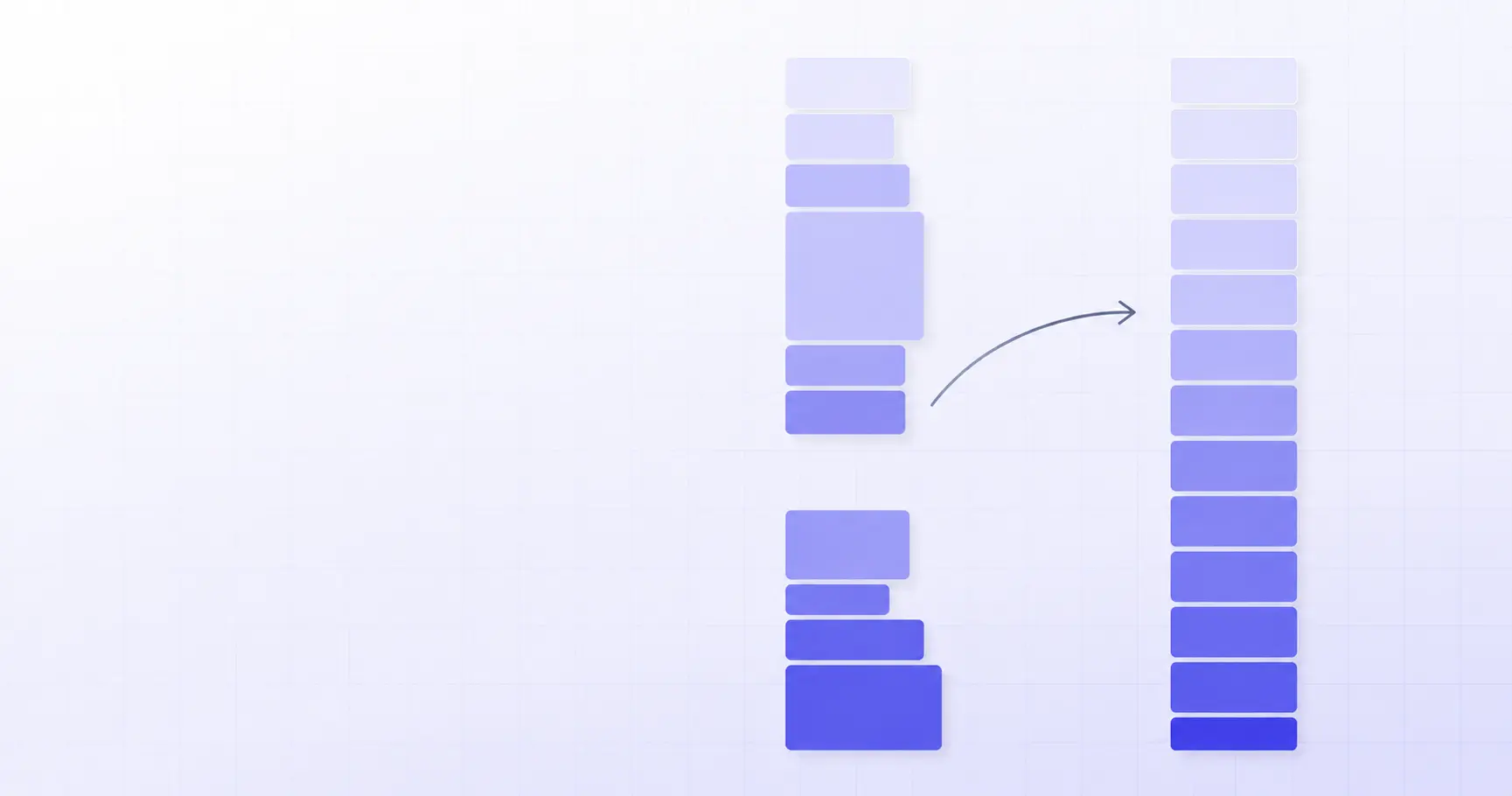
Why Your Tailwind Color Palette Looks Uneven — and How to Fix It With OKLCH
You dropped your brand hex into a palette generator, pasted eleven shades into @theme, and something is off. The 500 and 600 look like the same color. The 300 is washed out. The lighter tints have quietly turned purple. This is not a taste problem — it is a color-space problem, and OKLCH fixes it in about ten minutes.
TL;DR
- Generators that tint a hex with white/black in sRGB produce uneven perceived lightness.
- The same mixing drifts hue — an indigo brand color can shift ~12° toward purple by shade 100.
- Tailwind CSS v4 already defines its whole default palette in
oklch(). - Fix: keep hue fixed, borrow a Tailwind hue's lightness ladder, taper chroma at both ends.
- Uniform lightness means predictable contrast ratios across every hue in your theme.
Why does my custom Tailwind color palette look uneven?
Take a common brand indigo, #4F46E5, and build a scale the way most generators do: mix it toward white for 50–400, toward black for 600–950. Then measure what you actually got. Converting each result to OKLCH exposes the damage.
| Shade | Hex | OKLCH L | Gap from prev |
|---|---|---|---|
| 50 | #f6f6fe |
97.5% | — |
| 100 | #ededfc |
95.0% | 2.5 |
| 200 | #d3d1f9 |
87.4% | 7.6 |
| 300 | #b9b5f5 |
79.9% | 7.5 |
| 400 | #847eed |
64.8% | 15.1 |
| 500 | #4f46e5 |
51.1% | 13.7 |
| 600 | #473fce |
47.4% | 3.7 |
| 700 | #3b35ac |
41.7% | 5.7 |
Look at the last two rows. The step from 400 to 500 costs you 13.7 points of perceived lightness; the step from 500 to 600 costs 3.7. That is a 3.7× difference in how far apart two supposedly adjacent shades sit. In a UI this shows up exactly where you'd expect: your default button (bg-brand-500) and its hover state (bg-brand-600) look identical, while the jump from bg-brand-400 to bg-brand-500 is jarring.
The hue drifts too, and nobody warns you
Lightness is only half of it. Run the same conversion on the hue channel and the tints wander:
500  oklch(51.1% 0.230 277.0)
400  oklch(64.8% 0.162 283.5)
300  oklch(79.9% 0.089 286.8)
200  oklch(87.4% 0.055 287.8)
100  oklch(95.0% 0.021 288.6)
Hue moves from 277° to 288.6° — nearly twelve degrees toward purple — purely as a side effect of mixing with white in sRGB. Your 100-level backgrounds are literally a different color family from your 500-level accents. Designers describe this as the palette "not feeling like one color," and they are right.
Why sRGB mixing produces this
The channel values in sRGB are gamma-encoded signals for a display, not measurements of perceived brightness. Averaging them is arithmetic on the wrong quantity. HSL has the same flaw wearing a friendlier interface: hsl(60 100% 50%) (yellow) and hsl(240 100% 50%) (blue) claim identical 50% lightness and look nothing alike. OKLab, the model behind oklch(), was built so that a fixed change in L corresponds to a roughly fixed change in perceived lightness regardless of hue — the property the CSS Color Module Level 4 specification calls perceptual uniformity.
Does Tailwind CSS v4 use OKLCH?
It does, completely. The Tailwind CSS colors documentation publishes the full default palette as oklch() values exposed under the --color-* namespace. Indigo, for instance:
--color-indigo-500: oklch(58.5% 0.233 277.117);
--color-indigo-600: oklch(51.1% 0.262 276.966);
--color-indigo-700: oklch(45.7% 0.240 277.023);
Two things are worth noticing. First, hue is essentially pinned across the ramp — 277.117, 276.966, 277.023 — a spread of under 0.2°, versus the twelve degrees a naive sRGB mix threw away. Second, indigo-600 sits at chroma 0.262, which is outside the sRGB gamut. Tailwind v4 deliberately reaches into Display P3 territory so wide-gamut screens render the color more vividly; browsers on sRGB displays clamp it back. That is why --color-indigo-600 is not simply #4F46E5 anymore — the nearest sRGB rendering is closer to #4f39f6.
Tailwind's lightness ladder is not evenly spaced
This is the detail most hand-rolled palettes miss. Pull the L values from Tailwind's indigo scale and diff them:
| Shade | L | Step |
|---|---|---|
| 50 | 96.2% | — |
| 100 | 93.0% | 3.2 |
| 200 | 87.0% | 6.0 |
| 300 | 78.5% | 8.5 |
| 400 | 67.3% | 11.2 |
| 500 | 58.5% | 8.8 |
| 600 | 51.1% | 7.4 |
The gaps grow from 3.2 at the pale end to 11.2 in the middle, then narrow again. That shape is intentional: the 50/100 range is used for page and card backgrounds where you want subtle separation, and the 300–600 range carries buttons, links and borders where you want obvious separation. Spacing your eleven steps evenly across L will feel more mathematically pure and look worse.
Even Tailwind can't hold L constant across hues
One honest caveat before you go build a rule around this. Compare shade 500 across hues in v4:
yellow-500— L 79.5%lime-500— L 76.8%sky-500— L 68.5%red-500— L 63.7%indigo-500— L 58.5%
A 21-point spread. The reason is gamut, not sloppiness: a highly saturated yellow simply cannot exist at low lightness in any real display gamut, so the maximum-chroma yellow lives high on the L axis. If you want cross-hue lightness parity in your own theme, you have to sacrifice chroma on the yellows and limes to get it. Decide which you care about before you start.
How to build a Tailwind color palette in OKLCH
The procedure is three decisions, in this order.
1. Convert your brand color and keep only the hue. Drop your hex into the iKit Color Picker & Converter and read the OKLCH value. For #4F46E5 that is oklch(51.1% 0.230 276.97). The number you care about is 276.97. Lightness and chroma are about to be replaced.
2. Borrow a lightness ladder. Pick the Tailwind hue closest in character to your brand color and copy its eleven L values verbatim. You are inheriting years of manual tuning for free.
3. Taper chroma at both ends. Chroma should peak around 500–600 and fall off toward 50 and 950, because near-white and near-black cannot hold saturation. Tailwind's indigo chroma curve — 0.018, 0.034, 0.065, 0.115, 0.182, 0.233, 0.262, 0.240, 0.195, 0.144, 0.090 — is a good template. Scale it up or down as a whole if your brand is more or less vivid than indigo.
The resulting @theme block
@import "tailwindcss";

@theme {
  --color-brand-50:  oklch(96.2% 0.018 276.97);
  --color-brand-100: oklch(93.0% 0.034 276.97);
  --color-brand-200: oklch(87.0% 0.065 276.97);
  --color-brand-300: oklch(78.5% 0.115 276.97);
  --color-brand-400: oklch(67.3% 0.182 276.97);
  --color-brand-500: oklch(58.5% 0.233 276.97);
  --color-brand-600: oklch(51.1% 0.262 276.97);
  --color-brand-700: oklch(45.7% 0.240 276.97);
  --color-brand-800: oklch(39.8% 0.195 276.97);
  --color-brand-900: oklch(35.9% 0.144 276.97);
  --color-brand-950: oklch(25.7% 0.090 276.97);
}
That is the whole integration. Tailwind v4 reads theme variables directly from CSS — no tailwind.config.js entry — and generates bg-brand-500, text-brand-700, border-brand-200, ring-brand-400 and the rest automatically. If you want to replace the built-in palette rather than extend it, --color-*: initial clears the defaults first.
Checking your steps before you ship
Three sanity checks catch almost every mistake:
- Squint test. Render the eleven swatches in a row and blur your eyes. Any two shades that merge into one band are too close; any visible cliff is too far.
- Contrast test. For the shades you'll put text on, compute the ratio.
#4f39f6(600) hits 6.46:1 against white — comfortable AA for body text.#6160ff(500) only reaches 4.54:1, which passes AA for normal text by a hair and fails AAA. If you need the specifics of those thresholds, see our WCAG contrast guide. - Gamut check. Some of your generated shades will fall outside sRGB. That is fine — browsers clamp — but verify the clamped result still steps evenly, because clamping compresses chroma and can flatten two neighbours into each other.
How do I convert an existing Tailwind palette to OKLCH?
If you already shipped a hex-based palette, you don't have to redesign it. Migrate in place:
// One-off audit: print the OKLCH L of every
// shade so you can spot the uneven gaps.
const shades = {
  50: "#f6f6fe", 100: "#ededfc",
  200: "#d3d1f9", 300: "#b9b5f5",
  400: "#847eed", 500: "#4f46e5",
};

for (const [k, hex] of Object.entries(shades)) {
  // any OKLCH-capable lib, or paste into
  // color.ikit.app one at a time
  console.log(k, hex);
}
Then apply the fix in this order:
- Convert every existing shade to OKLCH and write down the L, C and H columns.
- Replace all eleven hue values with a single number — the median of what you measured.
- Replace the L column with a borrowed Tailwind ladder.
- Keep your original chroma values only if they already taper; otherwise borrow those too.
- Re-run contrast checks on the pairs your UI actually uses, not all 121 combinations.
Steps 2 and 3 alone usually resolve the "these two shades look the same" complaint, because they are the ones that restore monotone perceived spacing.
What about dark mode?
A perceptually uniform ramp makes dark mode straightforward: the swap bg-brand-100 → dark:bg-brand-900 produces a comparable contrast relationship against its surface in both themes, because the L values are symmetric around the middle of the scale. With an sRGB-mixed palette that symmetry doesn't exist — which is why dark mode on hand-mixed palettes so often needs per-component fudging. If you're rethinking the whole scale, our walkthrough on building a perceptually uniform ramp covers the math step by step.
Do I need a fallback for older browsers?
oklch() has been supported across Chrome, Safari, Firefox and Edge since 2023, and Tailwind v4 targets those baselines directly. If you support older engines, @supports (color: oklch(0% 0 0)) with a hex fallback block is the conventional pattern — but check your actual analytics before spending effort on it. Evil Martians' write-up on why they moved from RGB and HSL documents the practical migration path in more detail.
Two habits that keep a palette even
Generate scales, don't nudge them
Every time someone tweaks a single shade by eye to fix one component, the ramp loses a little uniformity. Change the generator inputs — hue, L ladder, chroma curve — and regenerate all eleven.
Keep semantic tokens one layer above the palette
Name things --color-surface, --color-border, --color-accent and point them at brand-50, brand-200, brand-600. Then a palette regeneration is a one-line change instead of a codebase-wide find-and-replace. Tailwind v4's @theme inline exists precisely for variables that reference other variables.
Building a set of complementary hues to sit alongside the brand ramp is the natural next step — the iKit Palette Generator will give you harmonious starting hues, and the Gradient Generator will interpolate between two of your finished shades without the muddy midpoint that sRGB interpolation produces. Everything runs in the browser; your unreleased brand colors never leave the tab.
References
- Colors — Core concepts, Tailwind CSS — source of the v4 default palette OKLCH values, the
@themesyntax, and the--color-*: initialreset. - CSS Color Module Level 4 — normative definition of
oklch()and the OKLab model's perceptual-uniformity goal. - oklch() — CSS reference, MDN — channel ranges and browser support baseline.
- OKLCH in CSS: why we moved from RGB and HSL — practical migration notes and the HSL uniformity failure cases.
- OK, OKLCH: a color picker made to help think perceptively — chroma ceilings per hue and why maximum chroma varies with lightness.
Related on iKit
- Start with the fundamentals of OKLCH before rebuilding a palette — the syntax, channel ranges and browser support that this article assumes you already know.
- See exactly why design systems abandoned HSL for OKLCH — the head-to-head that explains the uniformity failure behind uneven Tailwind ramps.
- Build a perceptually uniform color ramp from scratch — the step-by-step method for choosing L and chroma values rather than borrowing Tailwind's.
- Check whether your new shades pass AA and AAA — how the contrast ratios quoted above are calculated, and which shade pairs are safe for text.
- Learn the rest of the modern CSS color toolkit —
color-mix(), relative color syntax and the other Level 4 functions that pair well with an OKLCH palette. - Understand what your brand hex actually encodes — the sRGB channel math that makes naive tinting drift in the first place.
Related posts
How to Format XML Online in 2026: A Developer's Guide
Format XML online without uploading anything. How browser formatters indent, why whitespace is risky, and when to reach for xmllint instead.
How to Crop a Photo Online: A 2026 Guide for Every Platform
Crop a photo online the right way in 2026: pick the ratio each platform documents, understand the re-encode cost, and avoid the EXIF rotation trap.
Image Resizer Online: Pixels, Percent, Longest Side (2026)
Resize an image online by exact pixels, percentage, longest side, or preset — plus how to choose a target size, batch safely, and avoid blur.