Text to QR Generator: vCard, Wi-Fi, SMS, Email (2026)
A text-to-QR generator handles more than URLs: encode Wi-Fi, vCard, SMS, mailto, calendar, geo, and payment payloads with proper escaping for 2026.
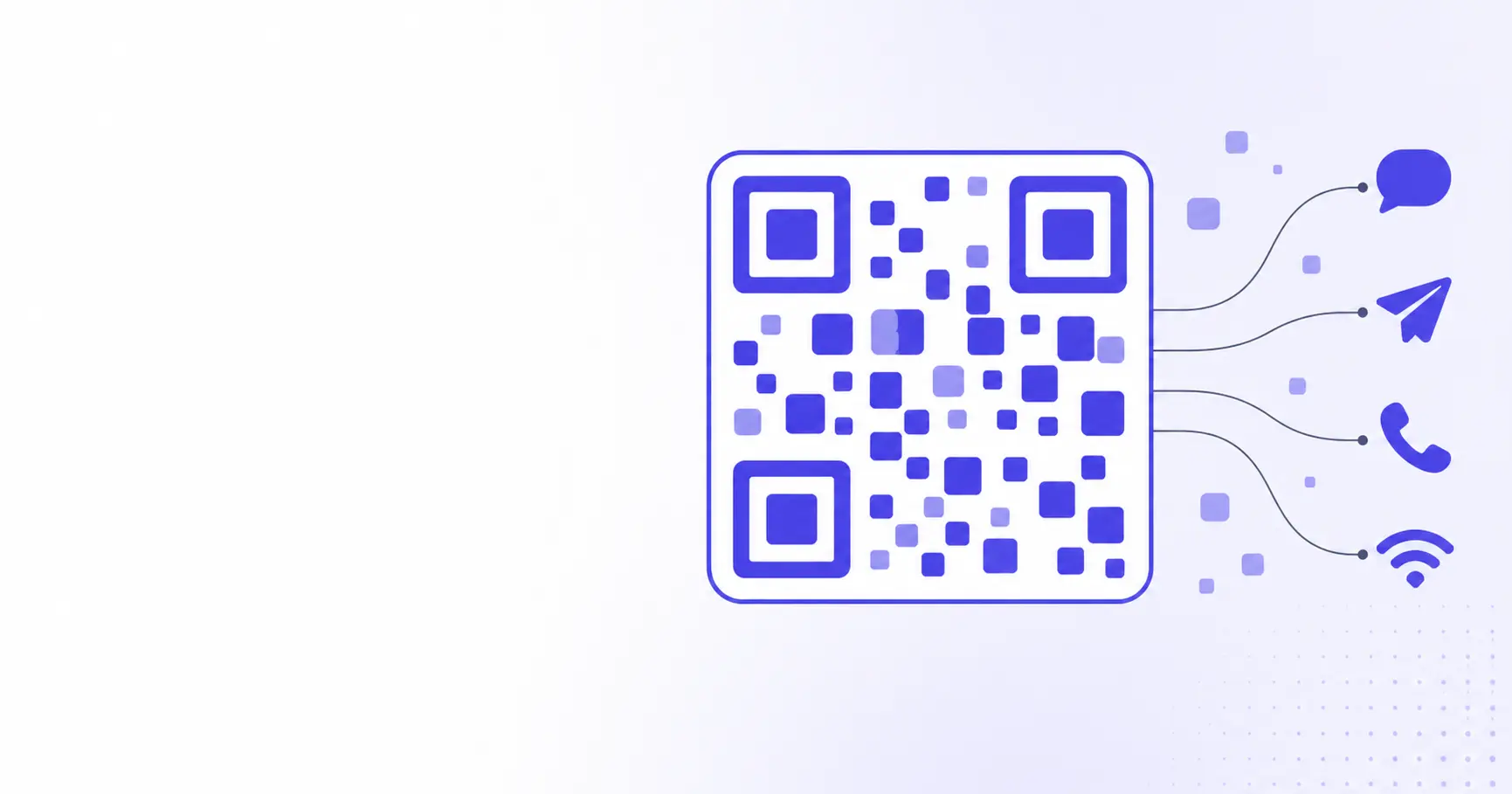
Text to QR Generator: vCard, Wi-Fi, SMS, Email
Most people think of a QR code as a URL in disguise — scan, open webpage, done. The spec doesn't care. A QR code is a container for plain text, and the OS picks the right app from the prefix. Wi-Fi credentials, an SMS draft, a calendar invite — all structured strings your phone happens to recognize. This guide walks through what a text-to-QR generator can encode beyond URLs, plus the gotchas that quietly break them.
TL;DR
- A QR code is a text container; the prefix (
https:,WIFI:,sms:,mailto:,geo:) decides which app opens. - The four highest-value non-URL payloads are Wi-Fi join, vCard contact, SMS pre-fill, and mailto draft.
- iOS 11+ and Android 10+ recognize all four natively — no third-party scanner needed.
- Special characters (
;,:,&,?, space) almost always need URL or backslash escaping. - A client-side text-to-QR generator never uploads your payload; tracker-redirect generators always do.
What "text to QR" actually means
When the iPhone or Android camera scans a QR, it reads bytes, runs Reed-Solomon error correction, and recovers a UTF-8 string. The string itself is the entire payload. The OS then matches the leading characters against a table of known URI schemes — https, mailto, tel, sms, geo, wifi, and a handful more — and routes to the matching app.
The OS prefix table is what makes "smart" QRs work
A QR that says Hello world does nothing useful when scanned — the camera shows it as plain text and waits for the user to copy it. A QR that says mailto:[email protected] opens the mail composer instantly. The text-to-QR conversion didn't get smarter; the prefix changed. The same code-generation logic encodes both. Once you internalize that, every "advanced" QR feature collapses into "pick the right prefix and escape your special characters."
Why "text to QR" is a useful search term, not a separate format
People who Google "text to QR code generator" usually mean one of two things. They want to encode a plain message that displays on scan — a Wi-Fi password to share, a Bitcoin address, a referral code. Or they don't yet know that Wi-Fi and SMS QRs are themselves "just text". Both audiences want the same thing: paste a string, get a code back. The generator is identical; only the payload format changes.
Where the QR encoding mode matters
The QR spec (ISO/IEC 18004) defines four data modes: numeric, alphanumeric (uppercase only, plus $%*+-./: and space), byte (full 8-bit UTF-8), and kanji. A generator picks the most efficient mode automatically. Lowercase characters or punctuation outside the alphanumeric set bump the encoder into byte mode, which roughly doubles the bits per character. A 200-character SMS draft in mixed case fits in a smaller QR than the same draft uppercased into alphanumeric mode — yes, even though alphanumeric is "denser." Trust the encoder.
SMS, MMS, and Tel QR codes
Three closely related schemes — tel:, sms: (and smsto:), and mms: — encode phone-app actions. All are documented in RFC 5724 and the older RFC 3966.
The sms: and smsto: payload format
The standard sms: URI lets you pre-fill both the recipient and the body of a text message. Two formats are widely supported:
sms:+15551234567?body=Order%20confirmed
smsto:+15551234567:Order confirmed
The first is the formally specified version (RFC 5724). The second, smsto:, was popularized by Nokia and is still recognized by Android — including some scanners that don't fully implement RFC 5724. For maximum compatibility, generators emit the sms: form for iOS and smsto: as a fallback. The body parameter must be URL-encoded: spaces become %20, ampersands %26, equals signs %3D, and newlines %0A.
A multi-recipient SMS QR is technically possible — sms:+15551234567,+15559876543?body=Hi — but iOS only honors the first number. Don't rely on it for group messaging.
The tel: payload — call without typing
The tel: scheme is the simplest of the three:
tel:+15551234567
Scan, the phone dials. There is no extension support in the URI spec itself; iOS reads a comma as a one-second pause (tel:+15551234567,,123 waits two seconds, then sends 123 as DTMF). Android implementations vary — some pause on ,, some on ;, some not at all. For voicemail menus or PBX extensions, test on the OS your audience actually uses before printing.
Why the + and country code matter
Always use the international format starting with + and the country code. A bare 5551234567 works in the US but fails the moment the QR is scanned by a phone with a different default country setting. A good text-to-QR generator normalizes phone numbers to E.164 automatically. If you're hand-rolling the payload, the + is non-negotiable — without it, the call routes incorrectly or the dialer prompts an empty number.
Email and calendar QR codes
Email QRs and calendar invite QRs share the same fundamental approach as SMS: pack a structured action into a URI scheme and let the OS launch the matching app. The payloads are larger, so error correction and quiet zones matter more.
mailto: with subject, body, CC, and BCC
The full mailto: scheme is defined in RFC 6068 and supports recipient, CC, BCC, subject, and body in one line:
mailto:[email protected]?subject=Order%20%231234
&body=Hi%2C%0A%0AI%20need%20help.
The first ? introduces the parameter list; subsequent parameters use &. Every value must be URL-encoded — spaces, line breaks (%0A), pound signs (%23), and so on. A common mistake is treating the body like an HTML attribute and skipping the encoding; the resulting QR opens the mail composer with truncated text and no apparent reason why.
For a tradeshow booth or a printed reply card, encoding a fully drafted message — recipient, subject, opening line — is the smoothest user experience. The visitor scans, types one sentence, taps send.
Calendar invites with vEvent
Calendar QRs use the iCalendar format (RFC 5545) — the same one your .ics invitations use. A minimal vEvent payload looks like this:
BEGIN:VEVENT
SUMMARY:Annual standup
DTSTART:20260615T140000Z
DTEND:20260615T150000Z
LOCATION:Online
END:VEVENT
Note the Z suffix — it marks the time as UTC. Without it, the phone interprets the wall time in the device's local zone, which silently shifts the event for half your audience. Android scanners parse this format directly; iOS Camera does not — Apple expects calendar payloads to come from a webcal:// URL or a downloaded .ics file. For mixed-audience use, host the .ics on a web server and put the URL in a regular URL QR.
The size penalty of structured payloads
A vEvent with location, organizer, attendees, and a long description easily breaks 500 bytes. At ECC level M, that's a version-15 QR (77 modules per side) — large, dense, and hard to scan from a distance. If the event is recurring or detailed, encode a short URL pointing at the hosted .ics file instead. Smaller code, easier scan, single source of truth if the event changes.
Geo, app deep links, and payment QRs
The four most-asked-about non-standard payloads are geographic coordinates, app deep links, payment requests, and arbitrary data blobs — each with its own quirks.
geo: location QRs
The geo: URI scheme is specified by RFC 5870:
geo:37.7749,-122.4194?z=15
Latitude, longitude, optional altitude, optional z zoom level. Android phones open Google Maps directly. iOS does not honor geo: natively — Apple Maps responds to maps:// and http://maps.apple.com/?ll= URLs. For both platforms, encode an Apple Maps or Google Maps web link and let each OS deep-link from the URL — far more reliable than the bare geo: URI.
App-deep-link QRs
A deep-link QR opens a specific screen in an installed app — a product detail in your shopping app, a friend-add in your social app, a track in a music app. The URI looks like a regular URL with a custom scheme:
yourapp://product/12345
Custom schemes have a problem: if the app isn't installed, the scan fails silently. Both platforms now recommend Universal Links (iOS) and App Links (Android) — https:// URLs that open the app if installed and fall back to the website if not. The QR encodes the https:// URL; the OS does the right thing automatically.
Payment QRs (EMVCo, Bitcoin, Lightning)
A payment QR is a structured text payload carrying an amount, recipient, and currency. The EMVCo merchant QR specification defines the format used by most bank apps in Asia and increasingly Europe. The Bitcoin scheme BIP 21 defines bitcoin:address?amount=0.001. Lightning uses lightning:lnbc....
These are sensitive payloads. Don't ever paste a payment URI into a tracker-redirect QR generator — the redirect domain becomes a man-in-the-middle, and a swap of the address is invisible to the user scanning. A client-side generator that runs in the browser is the only safe option. The iKit QR generator and the UUID generator (useful when you need a unique reference number inside a payment URI) both work this way; the hash generator is handy for verifying that an EMVCo payload matches its CRC checksum after editing.
Choosing the right text-to-QR format
Picking the right payload comes down to two questions: what action do you want the scan to trigger, and how reliably does each OS handle that scheme?
Compare by use case
| Scheme prefix | Use case | iOS handling | Typical length |
|---|---|---|---|
https:// |
Web URL | Browser opens | 30–80 chars |
WIFI: |
Wi-Fi join | Connect prompt (iOS 11+) | 40–120 chars |
BEGIN:VCARD |
Contact card | Add-contact sheet | 150–400 chars |
tel: |
Phone call | Dialer prompt | 15–20 chars |
sms: / smsto: |
SMS pre-fill | Messages with body | 30–300 chars |
mailto: |
Email draft | Mail composer | 50–500 chars |
geo: |
Map location | Not native — use map URL | 25–60 chars |
BEGIN:VEVENT |
Calendar event | Not native — host as .ics | 200–500 chars |
The "iOS handling" column is what most people get wrong. Just because a payload is a real RFC-defined URI scheme does not mean iOS Camera honors it — geo: and raw vEvent are the two repeat offenders. For mixed-audience use, default to a hosted URL and let the OS deep-link from there.
When to encode a URL instead of a structured payload
Encode the structured payload directly when the action is self-contained and short: a phone call, an SMS draft, a Wi-Fi join, a small vCard. Encode a URL pointing at the structured content when the payload is long, will likely change, or needs cross-platform fallback. Calendar invites, location maps, multi-attendee meeting invites, and detailed product pages all fit the second pattern. The QR stays small and the URL becomes the canonical edit point.
Common pitfalls when encoding plain text
A working QR code on the developer's phone is not the same as a working QR code on every phone in the wild. A handful of pitfalls account for most "it works for me" bug reports.
Forgetting to URL-encode the body
This is the single most common mistake. Anytime your payload includes a ? parameter list — mailto:, sms:?body=, tel: with extension — every value after the = needs URL encoding. Spaces become %20, ampersands %26, equals signs %3D, and newlines %0A. A short script to verify your encoding before printing:
const subject = "Order #1234"
const body = "Hi,\n\nI need help."
const uri = `mailto:[email protected]?` +
  `subject=${encodeURIComponent(subject)}&` +
  `body=${encodeURIComponent(body)}`
console.log(uri)
If decodeURIComponent round-trips it back to readable text, your QR will scan correctly. If it doesn't, the QR opens the wrong app or shows a truncated draft.
Trailing whitespace and BOM characters
A leading byte-order mark () sneaks into payloads copied from Windows tools and breaks scheme detection — mailto:... is no longer recognized as mailto: by most scanners. Trailing newlines do the same to vCard records — END:VCARD\n\n confuses some Android scanners. Strip whitespace before encoding, especially when the payload comes from a textarea your user typed in. The fix is a one-liner in JavaScript:
const cleaned = raw.trim().replace(/^/, "")
Length limits in practice
The QR spec allows up to ~2,953 bytes in a version-40 byte-mode code with ECC level L. Real-world scanners are not so generous. Most modern phone cameras stop reading reliably above ~700 bytes; below 500, scans are fast and tolerant. If your payload exceeds 500 bytes, ask whether you really need to encode the whole thing or just a URL pointing at it. For long, branded payloads, a tracking-free short URL hosted on your own domain is the better default. The same logic applies when you encode binary blobs into Base64 — the QR is a poor place to store data the network is designed to deliver.
Related on iKit
- Generate QR codes for Wi-Fi, vCards, and URLs — The companion guide to the three highest-volume QR payload formats, with deeper coverage of error correction and visual design.
- How iKit runs entirely in your browser — Why a client-side text-to-QR generator never sees your phone numbers, email drafts, or payment URIs, and how to verify any tool's privacy claims yourself.
Related posts
How to Decode a JWT in 2026 — Auth0 & Firebase Examples
Decode a JWT in 2026 with real Auth0 and Firebase tokens — header, payload, signature explained, common debugging traps, and why pasting tokens online is risky.
Decode Base64 to a Downloadable File in Browser (2026)
Decode Base64 strings into a real downloadable file — PDF, image, ZIP, audio — directly in your browser. No upload, no server, no plaintext leaks.
iOS App Store Icon Generator (2026): 1024×1024 + Sizes
iOS app store icon generator that builds the 1024×1024 master plus every iPhone, iPad, Spotlight, and Settings size from one PNG — no upload.